Gift Planner : Wishlist7.0
Publisher Description
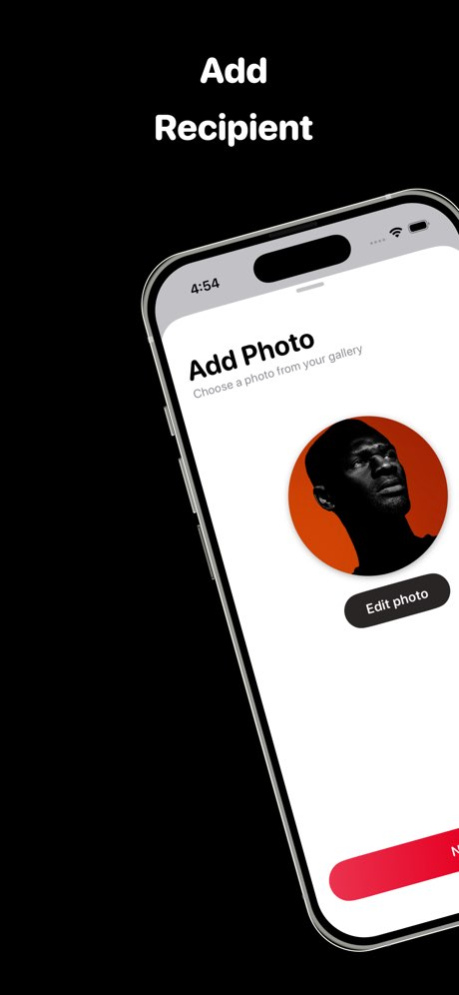


Gift Planner is an app with elegant UI that will help you create a wishlist of gifts for special occasions. Next time you have an event coming up you will find yourself ready-to-go without stress about what to bring.
Features:
.Add Recipient.
.Generate suggestions using AI model.
.Set Event Reminder.
.Use offline
Stay tuned many features are in development.
Version History New Design
AI gift suggestions 7.0 11/19/2025 Perform and UI Redesign 6.0 06/21/2025 - Optimized performance 5.2 04/18/2025 Redesign 5.0 01/13/2022 Press and hold to preview pages 4.0 08/13/2021 UI refined 3.3 07/21/2021 New iPad icon 3.2 07/19/2021 Dynamic Size for all devices. 3.1 07/15/2021 Create recipients list and add recipient from list.
Get list of similar items from merchants.
Get customized event messages that can be shared with contact
Beautiful animation 3.0 07/06/2021 Navigation improved. 2.0.1 02/03/2021 •Redesign interfaces
*Add multiple gifts for a single recipient
•Edit recipients/gifts
•Use offline
•Share list to contacts or through social media accounts
•Get Notifications 2.0 10/22/2020 •Adding photo is now option.
•Number of gift visible from the category card
•Support Spanish.
•Safe more than one item.
•Add date while saving wishlist.
•Support iOS 13.0 or later. 1.5.0 09/27/2020 1.0 09/15/2020
About Gift Planner : Wishlist
The company that develops Gift Planner : Wishlist is Kadjo Anoh. The latest version released by its developer is 7.0.
To install Gift Planner : Wishlist on your iOS device, just click the green Continue To App button above to start the installation process. The app is listed on our website since 2026-06-10 and was downloaded 4 times. We have already checked if the download link is safe, however for your own protection we recommend that you scan the downloaded app with your antivirus. Your antivirus may detect the Gift Planner : Wishlist as malware if the download link is broken.
How to install Gift Planner : Wishlist on your iOS device:
- Click on the Continue To App button on our website. This will redirect you to the App Store.
- Once the Gift Planner : Wishlist is shown in the iTunes listing of your iOS device, you can start its download and installation. Tap on the GET button to the right of the app to start downloading it.
- If you are not logged-in the iOS appstore app, you'll be prompted for your your Apple ID and/or password.
- After Gift Planner : Wishlist is downloaded, you'll see an INSTALL button to the right. Tap on it to start the actual installation of the iOS app.
- Once installation is finished you can tap on the OPEN button to start it. Its icon will also be added to your device home screen.
Program Details
System requirements
Download information
Pricing
Version History
version 7.0
posted on 2026-06-10
Version History New Design
AI gift suggestions 7.0 11/19/2025 Perform and UI Redesign 6.0 06/21/2025 - Optimized performance 5.2 04/18/2025 Redesign 5.0 01/13/2022 Press and hold to preview pages 4.0 08/13/2021 UI refined 3.3 07/21/2021 New iPad icon 3.2 07/19/2021 Dynamic Size for all devices. 3.1 07/15/2021 Create recipients list and add recipient from list.
Get list of similar items from merchants.
Get customized event messages that can be shared with contact
Beautiful animation 3.0 07/06/2021 Navigation improved. 2.0.1 02/03/2021 •Redesign interfaces
*Add multiple gifts for a single recipient
•Edit recipients/gifts
•Use offline
•Share list to contacts or through social media accounts
•Get Notifications 2.0 10/22/2020 •Adding photo is now option.
•Number of gift visible from the category card
•Support Spanish.
•Safe more than one item.
•Add date while saving wishlist.
•Support iOS 13.0 or later. 1.5.0 09/27/2020 1.0 09/15/2020
version 7.0
posted on 2025-11-19
New Design
AI gift suggestions
version 6.0
posted on 2025-06-21
Jun 21, 2025
Version 6.0
Perform and UI Redesign
version 5.2
posted on 2025-04-18
Apr 18, 2025
Version 5.2
- Optimized performance
version 5.0
posted on 2022-01-13
Jan 13, 2022 Version 5.0
Redesign
version 4.0
posted on 2021-08-13
Aug 13, 2021 Version 4.0
Press and hold to preview pages
